How it works Shop News
Shop
Animated BattlemapsCreaturesSpellsItemsAdventures
Account
Sign in / Create accountBecome a patron
Language
How it works

How a Beneos release reaches your table.

Beneos is animated battlemaps, plus creatures designed to fight the way players expect, not just two swings and a breath weapon. 2.5D top-down and portrait art, several skins, and every D&D SRD creature in the backlog.

Animated
Two ways to get it

Should I subscribe on Patreon or buy in the shop?

Building a campaign over many sessions? Go Patreon. Just need one map for a single night? Buy it in the shop.

Patreon

Join on Patreon

For the GM who runs most weeks. A membership gets every new release, the full back catalogue and the Foundry integration, and is cheapest over time.

Shop

Buy in the shop

For the one map your Friday needs. Buy it once, own it for good, no subscription. It costs more per pack than the membership, and that is the point.

Buying one pack is the cheapest way to try Beneos. Many patrons started exactly there.
Battlemaps Patreon Creatures, Spells & Loot Patreon Shop
What you getBattlemaps and sceneriesCreatures, spells and lootAny single pack on its own
New contentAbout two map packs a monthTwo or more creatures a month, spells and loot monthlyWhat you choose to buy
Back catalogue Included IncludedNot included
Foundry integration Included Included Included
Best forGMs who run most weeksGMs who need monsters and loot ready to playOne map for one session
Price modelMonthlyMonthlyOne-time per pack
The two Patreons are two production lanes, one for maps, one for creatures, spells and items. Subscribe to only the lane you want.
Patreon
I

Beneos Battlemaps

Animated environments, never a single lonely map. Thousands of scenes and counting.

Your Patreon Benefits

Join the Patreon

Tier 2 · VTT All Inclusive

Built for: Foundry VTT. VTT-tuned files with deep native integration, walls, lighting, automation and one-click installs.

  • Search engine and one-click installs right inside Foundry
  • Scenes arrive preconfigured: walls, lights, sounds, overlays, journals
  • Scene navigation, player teleporters, auto-playing ambience, one-click intros
  • Placeholder tokens with stats already on the map
  • Bundles, right-click installs from the world map, tidy folder structure
  • Landing pages, the Escalia World Map, full documentation, and a guided tour

The tiles below unpack every one of these in detail.

Drag to spin the deck · click a card to draw it

Every release lands in your world ready to play.

A one-click install drops a whole release into your Foundry world with the preparation already done. Walls, light sources and local sound effects sit exactly where they belong. Overlay tiles let tokens walk underneath for a 3D effect mid-game, and journals are already in place.

Open the scene, gather the party, go.
Jump anywhere. Or let your players walk.

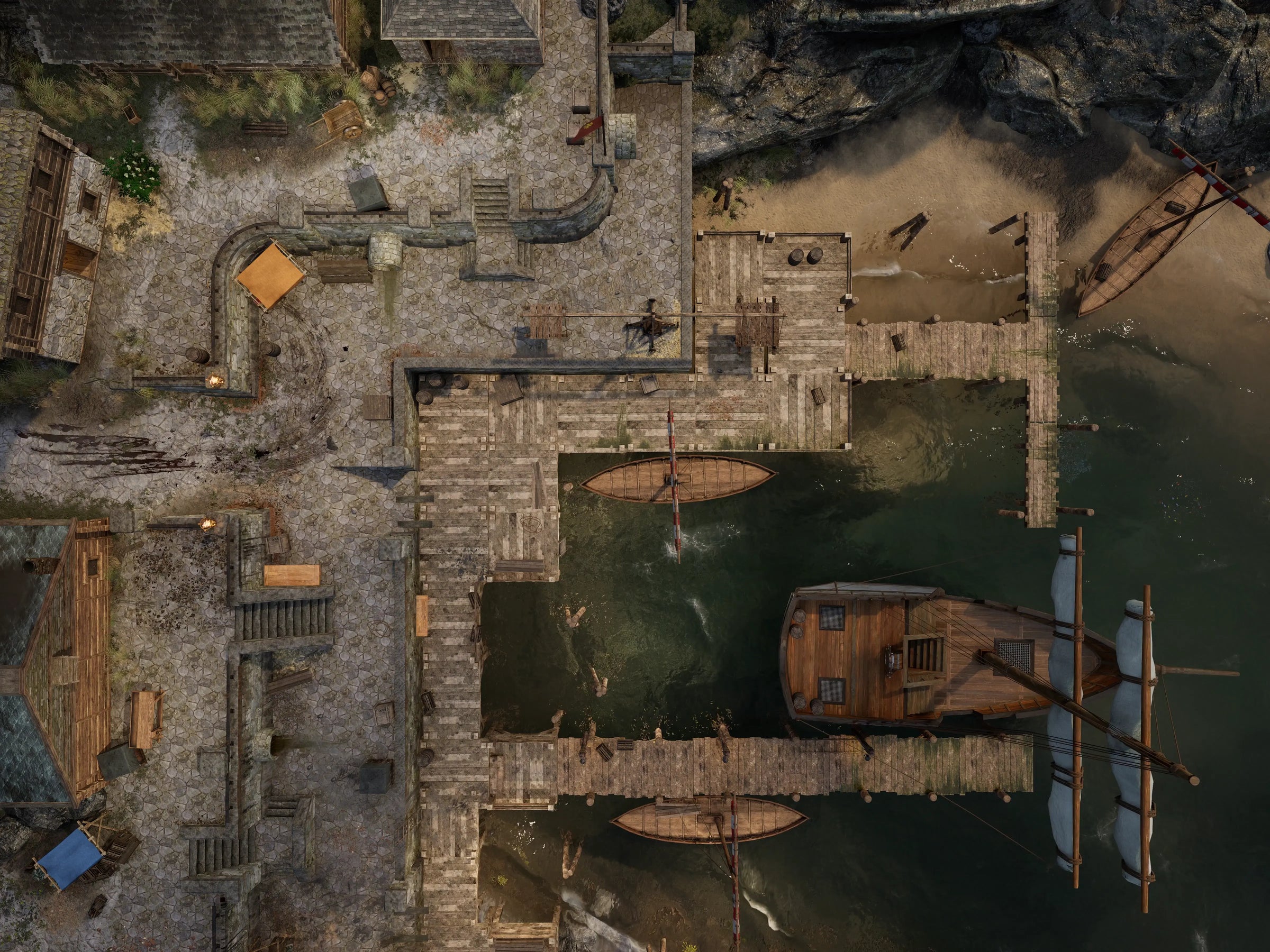
A navigation bar links every scene, so the GM hops from any map to any other in one click. Pre-placed teleporters can hand that freedom to the players: if you allow it, they wander from map to map on their own.

Light, water and fog that behave like the real thing.

Every map is rendered in Unreal Engine 5. That buys you real light simulation, real materials and moving water, fire and fog at 4K, plus the camera flights the intro sequences are made of. It is also why a release is a whole location and not a single picture: once the environment is built, every angle in it can be rendered.

A one-minute cinematic arrival, started with one click.

An intro sequence is a one-minute camera flight into a location, played the first time the party arrives. Start it for the whole table with a single click and lay your narration over it.

Ten minutes of the map's own soundscape.

An ambience track is the ten-minute background loop that ships with a map. In Foundry it starts on its own when the scene opens; in the Tableplay tier you get the audio files to run wherever you play.

A battlemap for the fight, a scenery for the talk.

The battle map is the tactical view. The scenery is the exact same place seen from inside, at a cinematic angle, and it runs as your backdrop whenever no fight is happening. Two moods, one location, zero extra prep.

The street comes with the rooftops and the sewer below.

A Beneos release is a connected environment in one biome, not a lone map. A forest crossroad brings the deep woods, the river, the cliff. Caves, sewers, other worlds, storm-beaten peaks, airships: you can walk through all of it, scene by scene.

One view that holds the whole release together.

Each release has an overview that links all of its maps in Foundry. The GM's navigation lives there, so you always know where the party can go next.

Install a whole region, or right-click a single spot.

A bundle installs several connected releases in one go, filed into a clean folder structure. On a world map, a right click installs the release you are pointing at, so you can take a whole region or a single spot.

Tokens with the right stats, already on the map.

Scenes that need an encounter arrive with the tokens already placed and statted. NPCs and creatures, module-compatible content for example, are on the map before you open it. Placing monsters stops being part of your prep.

Hand-picked monsters that fit the scene.

The Creature Drawer is a panel on every battle map scene holding Beneos creatures pre-selected for that biome, style and quality. Drop them straight onto the map. It appears if you also back Creatures, Spells & Loot.

Built to slot into published adventures.

Many map releases work with official D&D modules such as Descent into Avernus. If you own the campaign, you can run it on Beneos maps right away.

An interactive hub your players log into.

A landing page is a navigation scene that greets your players the moment they connect to your world. In a hell campaign they unlock infernal machines in the garage, track soul coins, and pin devil contracts to the group table. In gothic horror they collect found artifacts and prophecies.

NPC galleries show which characters the party has met, and where, once you unlock them.

Continent, country, region: every release, pre-linked.

Escalia is our own continent, an animated world map with clouds, effects and sound. Zoom into countries and their regions, where every release is linked as a point of interest with teleporters. Use it as your world, or as the template for building your own.

Lore you can keep, or pages you can wipe.

Every release ships with a journal about the place and its design. Keep it as world-building, or wipe it and use the pages for your own notes.

Help that is one click away from any scene.

The Beneos documentation explains everything in detail, with deep dives into every module we use, written so you can rebuild the tricks in your own world. The Foundry VTT tour in the module settings walks you through the whole interface, covering both campaigns.

In development

Pan, zoom, and move the party marker.

The Beneos World Map is a 3D world map inside Foundry, for the GM and the players alike, hardware permitting. Pan, zoom, and drop an interactive party marker for travel and exploration. A layer-based creator (heightmap, rivers, cities) will let you build a map of your own.

In development

Everything links to everything.

The Story Framework organises an adventure by reference instead of by location list: jump from a place to its NPCs to their encounters at any moment. Since the beginning of the hobby, adventures have been written as places with points of interest A to Z; this works the other way round. Fully integrated in Foundry, with Beneos adventures included and tools to structure your own.

Patreon
II

Beneos Creatures, Spells & Loot

Creatures with full 5e statblocks and Foundry automation. Loot with real mechanics, not a line on a sheet.

Your Patreon Benefits

Join the Patreon

Tier 1 · All creatures, spells and loot

One tier, one pledge. Every creature, spell and magic item we publish, plus the Foundry tools that put them to work.

  • Every published creature, unlocked instantly, with several new releases every month
  • A fresh pack of D&D spells every month
  • A fresh pack of magic items every month, each with its own story hook
  • The Beneos module ties it together in Foundry: creature search, Autopilot, Loot Generator and shop creator
  • A loyalty token unlocks automatically each month for active patrons, then leaves the backlog, so staying subscribed keeps paying off

Every creature, spell and item is designed and playtested to add something 5e does not already have.

Drag to spin the deck · click a card to draw it

A full turn to take, every single round.

Every ability a creature has in its lore also exists in its statblock. If the description says it drags prey underwater, there is a grapple-and-drown action to roll. A Beneos creature has a full turn to take every round, not two melee attacks and a passive, so the fight is worth the time it costs at the table.

The full SRD next to a growing archive of our own.

All official D&D SRD creatures are fully covered, alongside a very large archive of Beneos originals. New creatures release several times a month, and your pledge unlocks everything already published, instantly.

Top-down, portrait, several skins, defeated state.

The token kit is everything a creature ships as artwork and print material.

  • 2.5D token and top-down token
  • Avatar, plus a dynamic token for Foundry’s token rings
  • PDF in colour and printer-friendly black and white
  • Custom ability icons

Effects, rolls, and conditions wire themselves up.

Every creature comes with its automation built in: effects apply, rolls fire, statuses change. You run the fight; the bookkeeping runs itself.

Developer notes on every single ability.

The Tactical Guide is the designers’ note on every single ability: what it is for and when to use it. A filter sorts abilities by action type, so checking whether a bonus action is still free takes one glance. Available online and in Foundry.

Round by round, the creature runs itself.

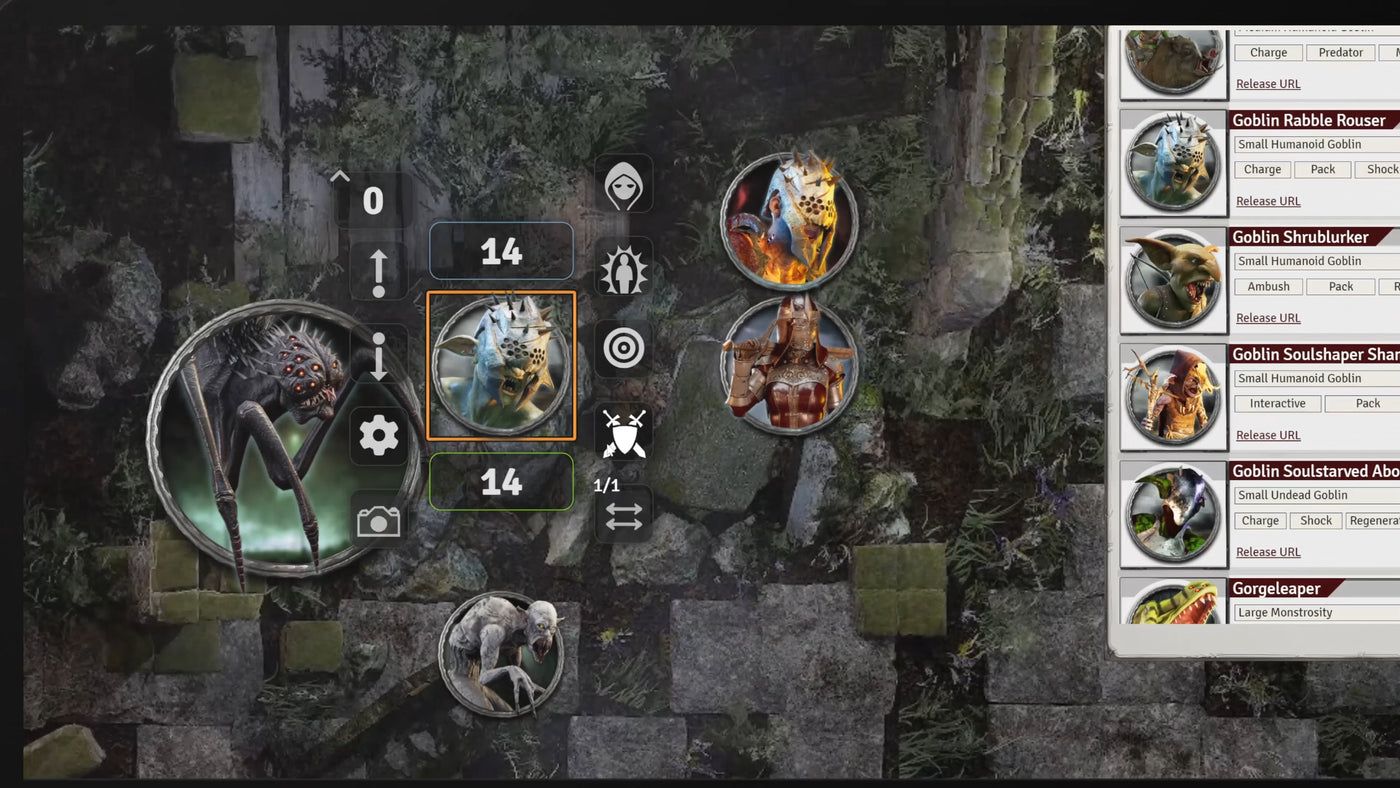
The Autopilot describes what the creature does in each round. In Foundry it can appear automatically on the creature's initiative turn, already showing the right round, so even exotic, complex monsters become easy to run. It works for Beneos originals and official SRD creatures alike.

Lore, quests, foreshadowing, and read-alouds.

Immersive Integration is the story layer around a creature. Lore and description texts, quest ideas for your campaign, and foreshadowing mechanics: traces in the world, monster-hunt style, that players analyse with ability checks (DCs included) to learn about the creature and maybe earn an edge in the fight.

Cinematic English read-aloud prompts cover the start of combat, individual abilities, and the creature’s death. A list of recommended allies rounds it out.

Your whole collection in the browser.

Your beneos.cloud account is your library. Browse every creature, spell, and item online, download the PDFs, or open a creature's character sheet in the browser, roll straight from it, and adjust HP when you just need the statblock on the fly.

The same statblock, many faces.

A skin is an alternative look for the same statblock. Plenty of creatures come in several: rows of distinct commoners, different knights, different bandits. Your maps stay visually varied even when the stats repeat.

Find a glass cannon for a swamp in seconds.

Search by role means filtering on what a creature does in a fight, not only on its type, CR and biome. Fighting style tells you how it fights: caster, berserker, damage dealer, glass cannon, tank, hit and run, brute force. Purpose tells you its job in the encounter: minion, boss, debuffer, damage sponge. Build combats from archetypes instead of hunting single statblocks.

Power that matches the party's level band.

Every item sits in tier 1 to 4, matching levels 1 to 5, 6 to 10, 11 to 15, and 16 to 20. A very rare tier 1 item is honestly weaker than a very rare tier 4 item, so rarity finally means something at your table's level.

Where an item's power comes from changes how it plays.

Every Beneos item has an origin: Dwarven Forged, Vampiric, Sanctified, Mutation, Arcane, or Techno-Arcane. Origins set the item's narrative style and carry real mechanics. Attune to two or three items of one origin and set bonuses grow, feeding the flavor further.

Three items, one ritual, and the power becomes yours.

The Rite of Ascension is a ritual that fuses three attuned items of one origin into the character itself and consumes them. The rite hands the GM story hooks for free, born entirely from the loot.

Players feel treasure nearby. You decide where.

The Item Radar is how characters sense nearby items that share an origin they are attuned to. In Foundry the GM sets direction and distance and pings an origin: attuned players get a private message, an audio ping, and a live compass that updates as the GM moves the target.

The set-bonus hunt does the steering for you. Hidden dungeons become findable in a way that is believable, because only the item could have led anyone there.

Every item priced by an algorithm, not by gut feeling.

A price calculation algorithm rates every item by its real power and functions, so all Beneos items stand in a sensible relation to each other, tier 1 through tier 4. Magic item shops stop being homework.

Hand your players the loot, physically.

Every spell and item ships as a print-ready card, designed to stay readable with room for what matters. Hand one across the table, or print yourself a whole deck.

No green lightning bolts.

Beneos spells cover gameplay the established lists do not, across combat, exploration, and social play, without stepping on classic spells. They are built as honest alternatives to the picks players treat as mandatory regardless of backstory or class, so choosing for character stops feeling like a self-inflicted disadvantage.

A believable haul in two clicks.

The Loot Generator assembles the items and the gold from the whole catalogue. Set the level and the size, small to large. Hand it out, reroll it, or toss it.

From village smith to black-market dealer.

The Shop Generator builds a stocked, pre-priced shop and saves it in your world. Pick an archetype: a simple blacksmith, a black-market dealer, a cleric order, a traveling merchant, a tavern keeper. Pick the size of the stock, and it fills the shelves from exotic finds to the everyday must-haves nobody enjoys compiling.

Name the shop and it is ready to reopen anytime.

Reforge your own items into the ecosystem.

The Beneos Forge gives an item of your own a Beneos origin. Drop it into the forge area of the Beneos Codex and choose one: the item gains the origin tag, works with the Item Radar, and counts toward set bonuses next to established Beneos items.

Set bonuses and radar, right on the sheet.

Players attuned to Beneos items get a new tab in their character sheet, marked with the Beneos logo. It shows their active set bonuses and carries the Item Radar compass.

Right-click a monster, open its whole world.

A living token switches between 2.5D and top-down, and turns into a death token on its own at 0 HP. A right click opens the Beneos Codex with that creature’s Tactical Guide and Immersive Integration.

In development

A goblin boss. A weakened god.

The CR Scaler rebuilds a creature at a different challenge rating, up or down from its published one.

In development

Enter CR and party size, get a fight.

The Encounter Builder takes a challenge rating and a group size and assembles a fitting fight, with creatures tuned to work together.

In development

Monsters with allegiances.

Creatures will join factions that grant their own synergy effects and bonuses, adding depth and making them easier to weave into a campaign. Factions will be described in the Beneos Creature Codex.

Choose your campaign

The tiers stay short on Patreon on purpose. This page is the fine print, minus the pain. Pick a campaign, or run both and let them feed each other.

Your downloads and online library live at beneos.cloud. New patron? Start the guided tour in the Beneos module settings and it walks you through everything.

Search the whole library, before you buy.
© Beneos · Beneos Battlemaps · Beneos Creatures, Spells & Loot · Features marked "In development" are a roadmap preview, not yet available.
On Foundry VTT, through Beneos Cloud

One click, and the scene is on the table.

In Foundry, a whole release installs in one click, walled, lit and automated. Scenes cross-link, the Autopilot runs each turn, and the Loot Generator and Shop Creator fill your world on demand. All it takes is Foundry VTT and the free Beneos module.

At the table, on a screen

Lay a TV flat and play the file.

No VTT, no software. The animated map plays on a TV or projector, and a ten-minute ambience track sets the room before a word is spoken. All it takes is a laptop, a screen and the downloaded files.

On Roll20 and other VTTs

Import the scene into your VTT.

Bring the map into Roll20, Fantasy Grounds or any VTT. You build the scene with your own walls and sounds, and every map, scenery, intro and ambience comes with you. All it takes is the downloaded files and your VTT’s import.

Inside a release

What is inside a release.

Every release is the asset plus the tools to stage it: handouts, ambience, statblocks, guides and a one-click Foundry install.

Animated
Battlemaps

Battlemaps and sceneries

We build whole locations, not single maps, cross-linked in Foundry into one explorable world. Each map has a calm Scenery for roleplay and a tactical Battlemap for the fight.

  • Whole locations, several connected maps per release
  • A Scenery backdrop and a tactical Battlemap for every room
  • Cross-linked into one explorable world in Foundry
  • Rendered handouts of the points of interest, in high resolution
  • Ten-minute ambient tracks, recorded or licensed, per scene
Handout A handout is a close-up rendered from the map. Keep it open to describe a place, or hand it to players when the spot matters.
Creatures

Creatures and monsters

A hand-built 5e statblock, a tactical guide, story hooks, and in Foundry an Autopilot that plays the first rounds for you.

  • 721 2.5D creature tokens, 411 of them SRD
  • A hand-built D&D 5e statblock, ready to import
  • Several skins, so a pack never looks like copies of one token
  • A tactical guide for running it well the first time
  • Automation in Foundry, like status icons that keep themselves up to date
  • A printable token and card for the table
Spells

Spells

New spells, not reskins, balanced against each other by our own pricing ruleset. A GM can hand one out as loot.

  • 484 illustrated spells, 339 of them SRD
  • Brand-new spells, not reskins of the classics
  • Built to enable exotic, off-meta playstyles
  • Can be handed out as loot or a reward
  • Balanced by class, level, action type and components, with printable cards
Items

Items

A Beneos item is a mechanic, not a line on a sheet. Every one has an Origin, eighteen in all, matching Origins grant set bonuses, and many grow with a character from level 1 to 20.

  • 713 magic items, all gold-priced with our own balancing ruleset
  • 18 Origins, with set bonuses for matching attuned pieces
  • Item Radar: attuned players sense nearby Origin items
  • Tier upgrades, legacy gear that grows from level 1 to 20
  • Loot Generator in Foundry: random rewards after every fight
  • Shop Creator in Foundry: a guild, merchant, smith or alchemist on demand
From the cloud to your table

From your library into your game.

Everything you have access to sits in Your Library, whether you bought it in the shop or unlocked it on Patreon. From there, two paths to your game.

For Foundry VTT users

Install scenes directly into your world from the cloud, walled and lit, with no files to manage. One click and it is on the table.

For any other VTT

Download the files as a ZIP and use them anywhere, on a TV or in another VTT.

Shop buyers and patrons use the same library. A buyer sees what they own, a patron sees everything their tier unlocks.